

TL;DR: DNS alone can’t redirect domains — it only maps names to IP addresses. You need a web server or forwarding service. Most registrars offer HTTP-only forwarding (no HTTPS). For the easiest solution with automatic HTTPS, use Domain-Forward.com — free plan, 5-minute setup, no code.
Introduction
You need to redirect one domain to another. Maybe you merged shop.yourdomain.com under www.yourdomain.com/shop and need existing backlinks to keep working. Or you rebranded from www.old-long-domain-name.info to www.new-domain.com and need paths like /very-good-product to follow.
Without redirects in place, every old link leads to a dead end — and that means lost traffic, lost SEO value, and lost business.

Can DNS Do Domain Redirects?
No. DNS (Domain Name System) translates a domain name (like example.com) into an IP address (like 8.8.8.8). That’s it.
You can set a CNAME record to point domain-a.com to domain-b.com, but this only resolves the IP — it doesn’t redirect the browser. The URL bar still shows domain-a.com, and unless the web server is configured to serve both domains, it won’t work properly.
To actually redirect a domain, you need a web server (or a service that provides one) to send the HTTP 301/302 response.
Some registrars have built their own HTTP redirect support into their DNS management UI. They run a web server in the background. But there’s a catch: most don’t support HTTPS. Modern browsers default to HTTPS, so an HTTP-only redirect is effectively broken for most visitors.
Registrars With HTTP-Only Redirect Support
These registrars offer built-in forwarding, but none support HTTPS on the source domain. Your visitors using HTTPS (which is most of them) will see security warnings.
GoDaddy
GoDaddy’s forwarding only works over HTTP. They explicitly state in their help center that HTTPS applies only to the destination URL, not the source.

For a full walkthrough including the HTTPS fix, see our GoDaddy domain forwarding guide.
WPEngine
WPEngine supports redirects but not source HTTPS, as documented in their support article.
Bluehost
Bluehost has no built-in forwarding feature at all. For redirects you need a hosting plan or a third-party service. See their documentation and our Bluehost redirect guide.
DreamHost
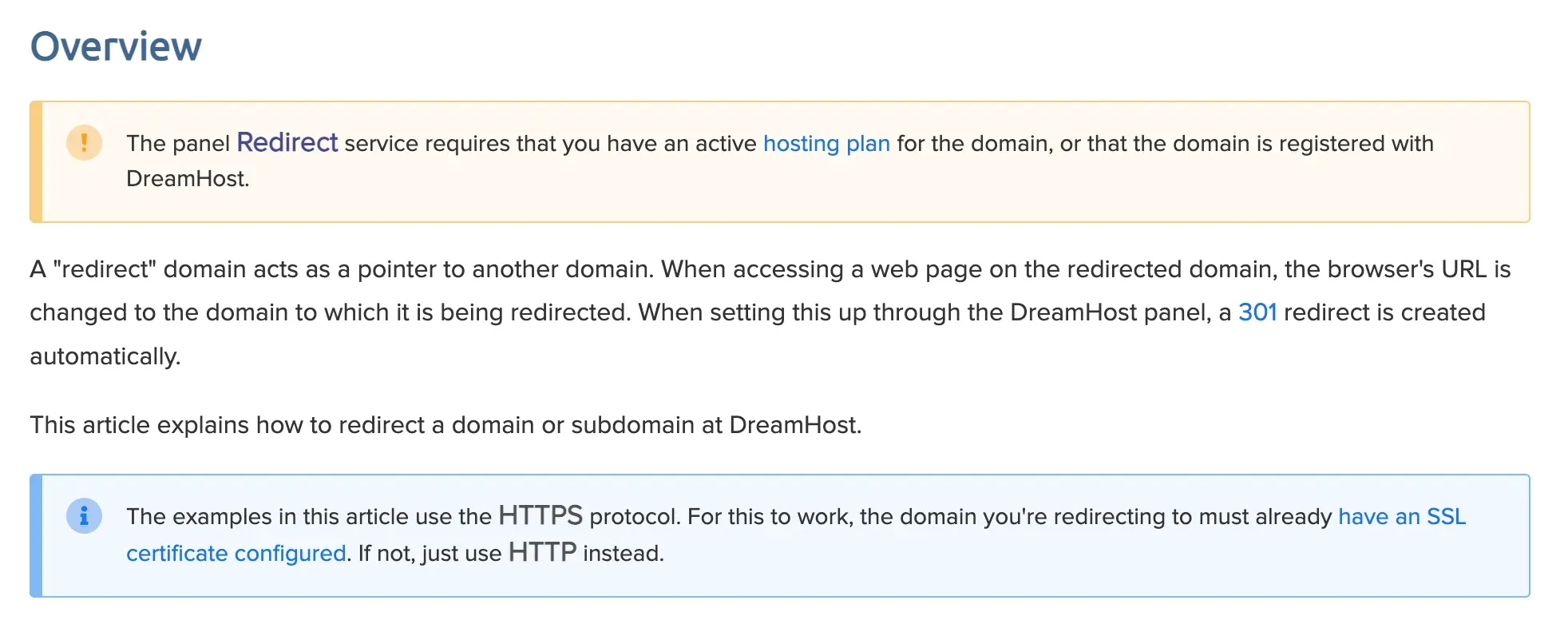
DreamHost supports redirects, but only with an active hosting plan. You also need to configure SSL certificates yourself. See their support article.
HostGator
HostGator has URL redirection but no source HTTPS support.
Namecheap
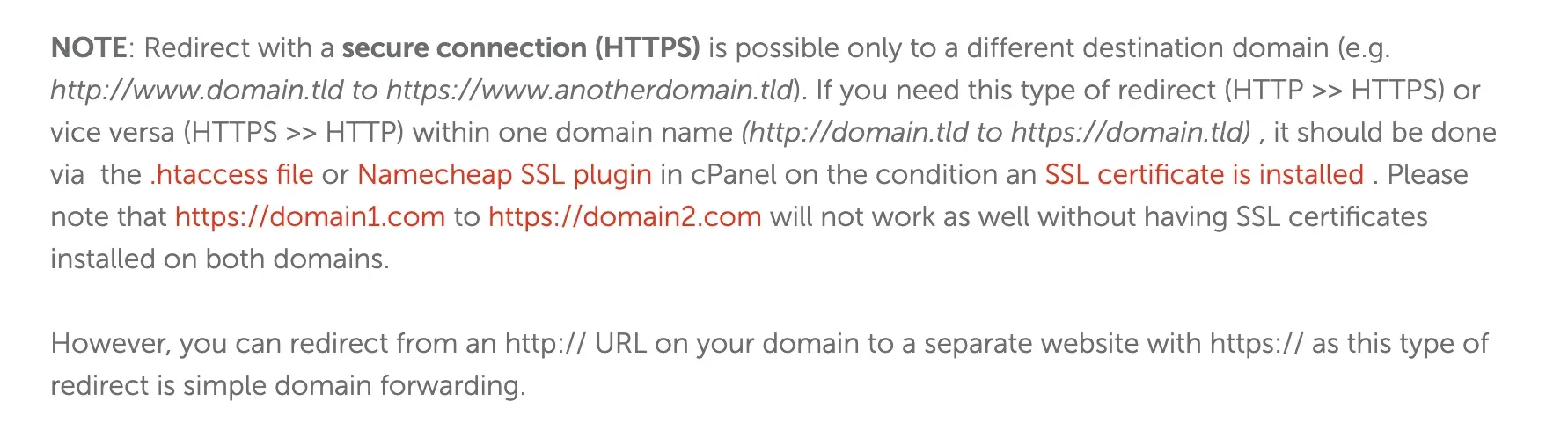
Namecheap’s redirect only works with their own nameservers (BasicDNS/PremiumDNS). Custom nameservers break it entirely. Without a hosting plan, you’re limited to HTTP-only redirects.
Full guide: Namecheap domain redirect — HTTPS & custom nameserver fixes.
Hostinger
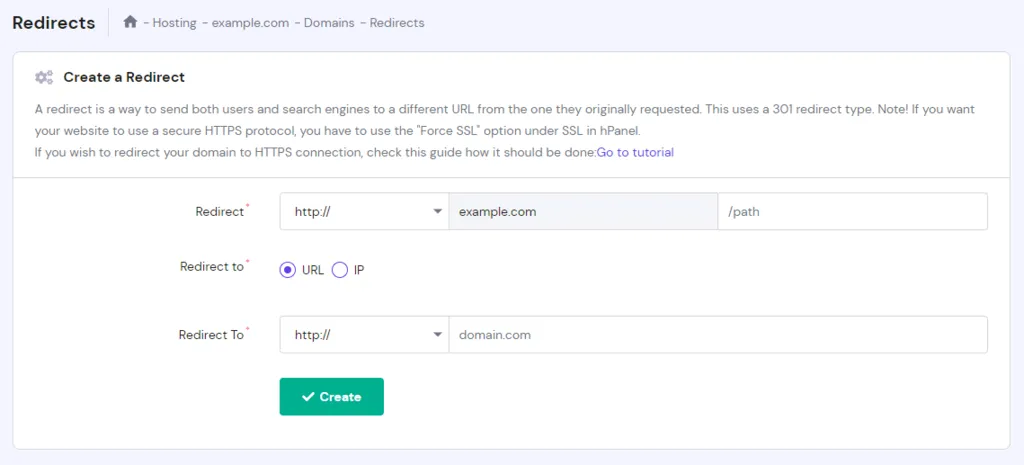
Hostinger has a redirect feature, but HTTPS requires manual configuration and a Hostinger hosting plan.
Full guide: Hostinger domain redirects — the SSL fix.
Options for Redirects With HTTPS
The solutions below require varying levels of technical skill. If you’re not comfortable with server configuration, skip to the Domain Forward section.
Web Server Configuration (Technical)
If you already have a hosting plan, you can configure your web server to handle redirects. This requires SSH access and server admin knowledge.
Nginx
Nginx is a high-performance web server. To set up a redirect:
- Open the config file at
/etc/nginx/sites-available/example.com - Add the redirect rule (see below)
- Test with
sudo nginx -t - Reload with
sudo service nginx reload
server {
    listen 80;
    server_name oldsite.com www.oldsite.com;
    location / {
        return 301 $scheme://newsite.com$request_uri;
    }
}
This permanently redirects all traffic from oldsite.com and www.oldsite.com to newsite.com.
Apache
Apache is another widely-used web server. To set up a redirect:
- Open the config file at
/etc/apache2/sites-available/example.com.conf - Add the redirect rule (see below)
- Test with
sudo apachectl configtest - Reload with
sudo service apache2 reload
<VirtualHost *:80>
    ServerName oldsite.com
    ServerAlias www.oldsite.com
    Redirect permanent / http://newsite.com/
</VirtualHost>
This permanently redirects all traffic from oldsite.com and www.oldsite.com to newsite.com.
Cloud Provider Load Balancers (Technical, Expensive)
Major cloud providers offer redirect capabilities through their load balancers and CDN services:
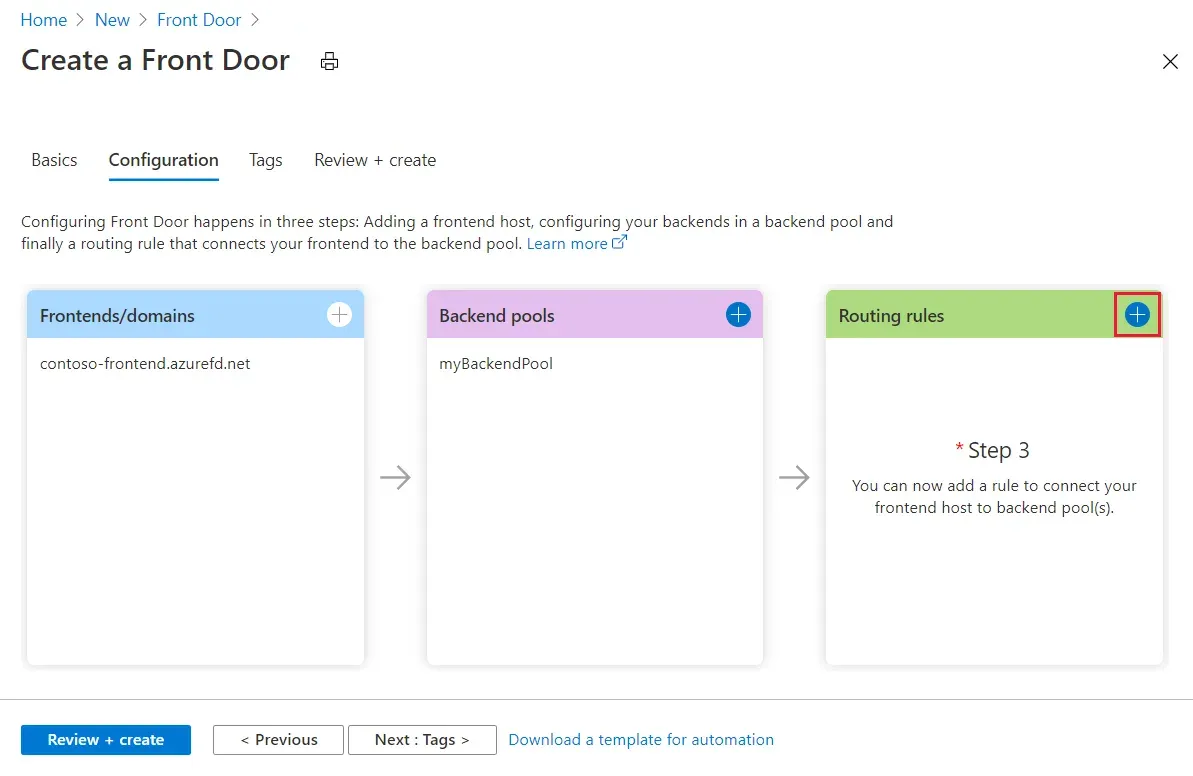
- Microsoft Azure Front Door — docs. Pricing: $35/month (standard) or $330/month (premium). Requires Azure portal configuration.
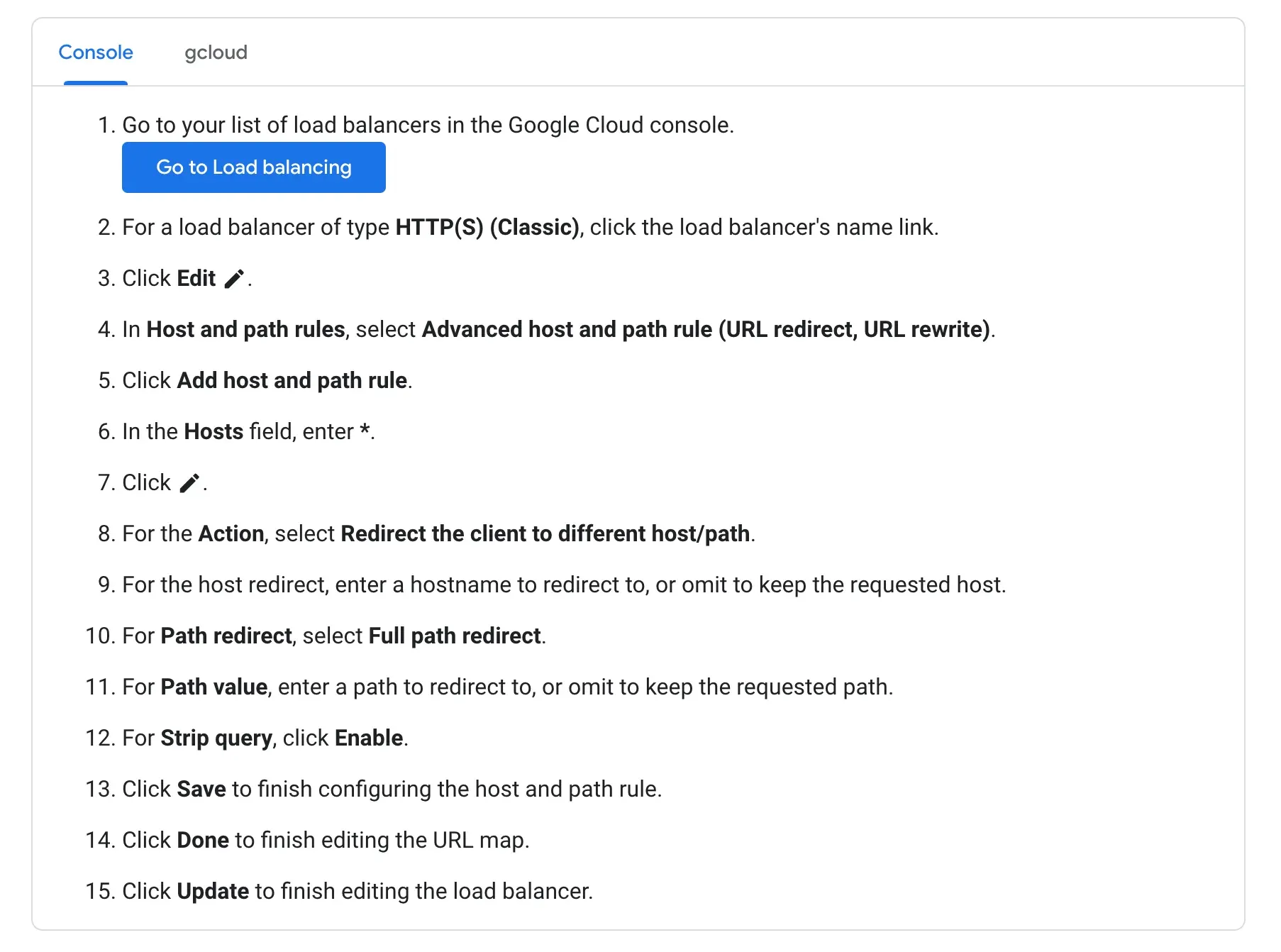
- Google Cloud Load Balancer — docs. Pricing: ~$18/month + per-rule costs.
- AWS Application Load Balancer — docs. Similar pricing model to GCP.
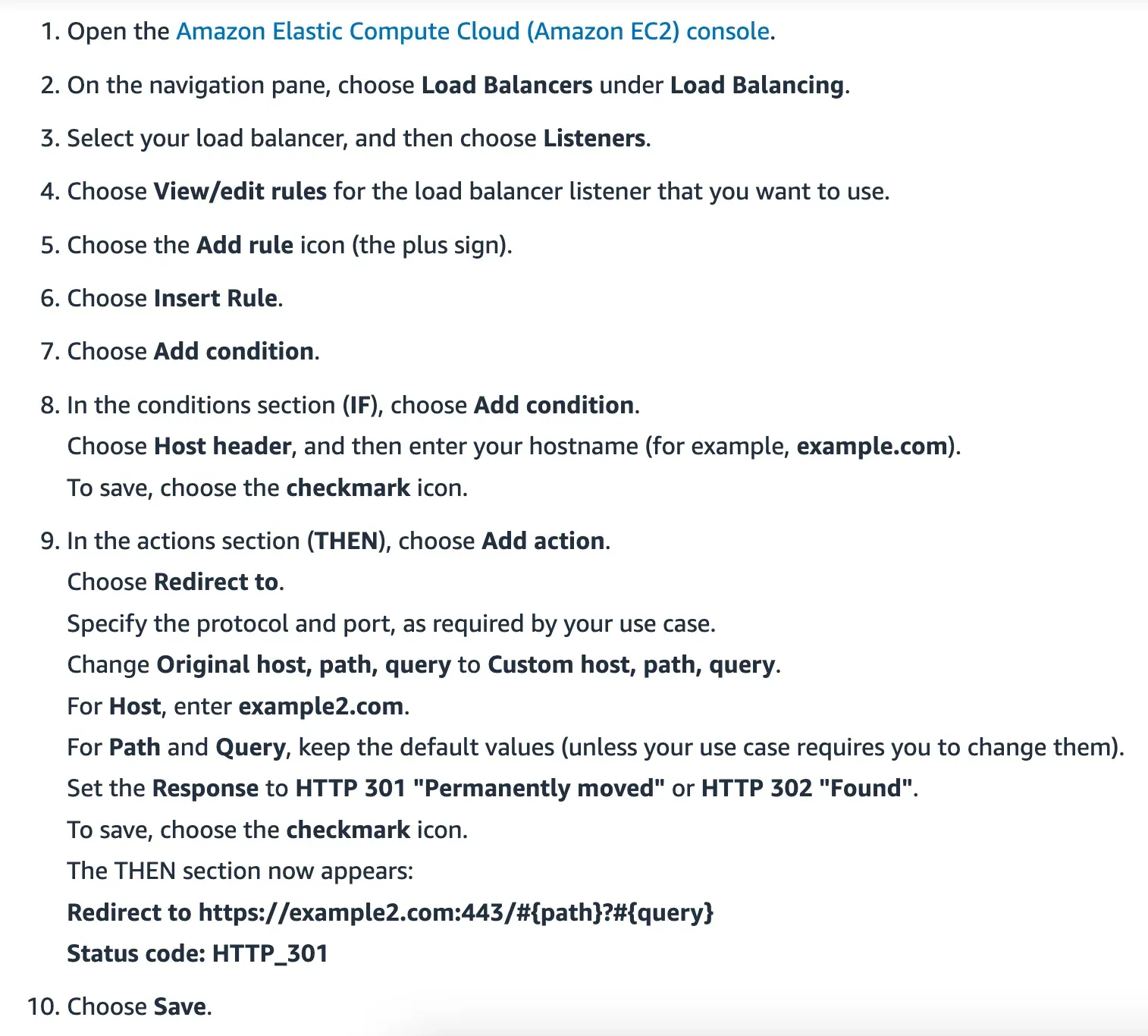
All three require DNS configuration, cloud portal access, and paying a monthly fee even for a single redirect.
Serverless Functions (Technical, Budget-Friendly)
Serverless options are pay-per-use with generous free tiers. The trade-off: more technical setup than load balancers.
- AWS Route53 + CloudFront — our step-by-step tutorial
- AWS Lambda@Edge — lightweight edge redirect
- Google Cloud Functions — our step-by-step tutorial
- Google Firebase — hosting-based redirect
- Google Cloud Run — our step-by-step tutorial
Domain Forward — The Simplest Way
Domain-Forward.com is as close as you get to “DNS-only” redirects. No server, no cloud console, no code:
- Add your source and destination domains
- Update DNS records at your registrar
- Done — automatic HTTPS, 301 redirects, and analytics included
Check our quick start guide for the full walkthrough.
Which Option Should You Choose?
| Solution | HTTPS | Technical Skill | Monthly Cost | Setup Time |
|---|---|---|---|---|
| Registrar forwarding | No | None | Free | 5 min |
| Nginx/Apache | Yes | High (server admin) | Hosting plan | 30+ min |
| Cloud load balancers | Yes | Medium-High | $18-330/month | 1+ hour |
| Serverless functions | Yes | Medium | Free tier available | 30+ min |
| Domain Forward | Yes | None | Free (5 domains) | 5 min |
If you’re not sure which option fits, reach out to us and we’ll help you pick the right solution — even if it’s not Domain Forward.
You can test any redirect setup with our redirect tester tool.