Migrating Your Store? Redirect the Old Domain.
Switching e-commerce platforms or domains means product pages, category links, and checkout URLs all change. Domain Forward ensures every old URL reaches your new store — preserving search rankings, customer bookmarks, and referral traffic.
Why E-commerce Migrations Are High-Stakes
E-commerce domains carry enormous SEO value. Product pages rank for commercial keywords. Category pages capture broad search traffic. Review sites and affiliates link to specific product URLs. A botched migration can drop organic traffic 30-50% overnight — and organic traffic is often 40-60% of an e-commerce site's revenue. Every broken product link is a lost sale.
Domain-Level Forwarding for Platform Moves
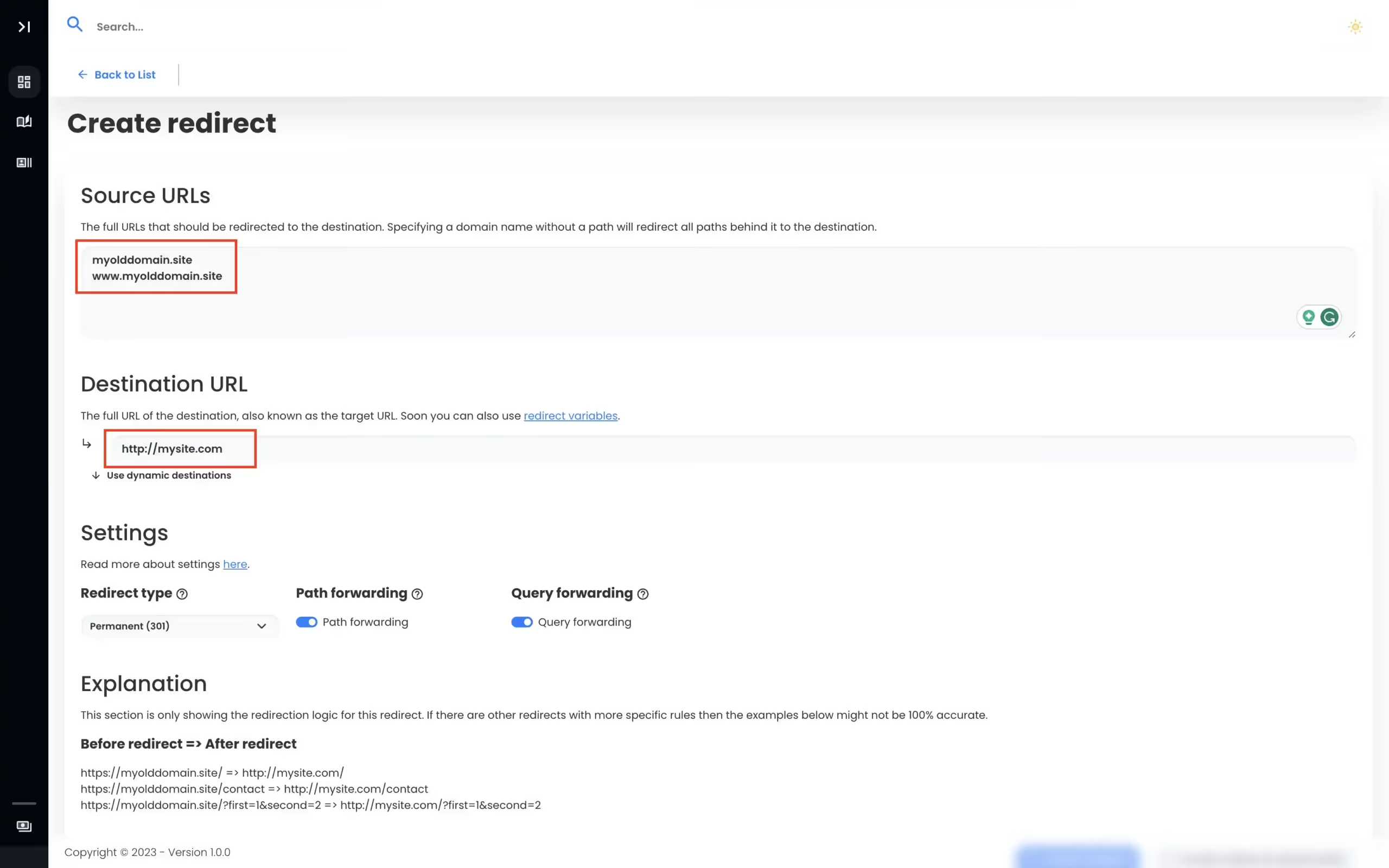
When you move from old-store.com to new-store.com (or from a subdomain to a custom domain like shop.mybrand.com), Domain Forward handles the domain-level redirect. Enable path forwarding so product URLs map automatically: old-store.com/products/widget → new-store.com/products/widget. Query strings (UTM parameters, referral codes, search parameters) are preserved by default.
Works Alongside Platform Redirects
Domain Forward handles domain-to-domain forwarding. Your e-commerce platform (Shopify, WooCommerce, BigCommerce) handles URL-level redirects for path structure changes. Use both together: Domain Forward catches traffic to the old domain name, and your platform manages any URL path mapping differences. This separation makes migrations cleaner and gives you dedicated analytics for each layer.
View PlansE-commerce Migration by the Numbers
Domain Forward helps e-commerce businesses preserve traffic during platform moves.
301
redirects preserve product page rankings in search
HTTPS
auto-provisioned — no SSL issues on old domain
Path
forwarding preserves product and category URLs
UTM
parameters preserved through the redirect
Frequently
asked questions
Google Merchant Center uses your website URL for product feeds. After setting up 301 redirects and updating your Merchant Center domain, Google reprocesses your products. The transition typically takes 1-2 weeks. During this period, 301 redirects ensure shoppers from old listings still reach your products.
Yes — enable path forwarding in Domain Forward so old-store.com/products/blue-widget redirects to new-store.com/products/blue-widget. If your URL structure changed (e.g., Shopify uses /products/ but your new platform uses /shop/), you'll need url-level redirects in your new platform for those path differences. Domain Forward handles the domain-level forwarding.
Shopify, WooCommerce, BigCommerce, and Magento all use different URL patterns. Domain Forward handles the domain-to-domain redirect (old-store.com → new-store.com). For platform-specific URL structure changes (/collections/ → /categories/), configure URL-level redirects in your new e-commerce platform.
Path forwarding covers most checkout URL patterns. old-store.com/cart → new-store.com/cart. However, checkout links with session tokens or platform-specific query parameters may not work as expected through a redirect. Test your key user flows after setup.
Migrate Your Store Without Losing Traffic
301 redirects, path forwarding, HTTPS. 5 domains free. No credit card.