Domain Forward vs Cloudflare Registrar
Cloudflare Registrar is excellent for domain registration (at-cost pricing, no markup). But it has no built-in domain forwarding. If you need to redirect a Cloudflare-registered domain, you have two options: Cloudflare Redirect Rules or Domain Forward.
Forwarding Options Compared
Cloudflare Registrar itself has no forwarding. Here's how Cloudflare Redirect Rules compare to Domain Forward.
| Feature | Domain Forward | Cloudflare (via Redirect Rules) |
|---|---|---|
| Built-in domain forwarding | ||
| Dedicated redirect management UI | Redirect Rules (buried in dashboard) | |
| Redirect analytics | Via general analytics only | |
| REST API | Yes (Cloudflare API) | |
| Automatic HTTPS | Yes (if proxied) | |
| Path forwarding | Via dynamic redirect rules | |
| Requires DNS proxied through Cloudflare | Yes (for redirect rules) | |
| Setup steps for forwarding | 2 (DNS + destination) | 4+ (add site, proxy DNS, create rule, test) |
| Free redirect rules | 5 hostnames | 10 Single Redirect rules per zone |
| Wildcard matching | Ultimate plan ($99/mo) | All plans (Single Redirects) |
| URL masking | Premium+ ($15/mo) | Via Workers (code required) |
| Registrar cost | N/A (separate service) | At-cost pricing (no markup) |
The Cloudflare Approach
To forward a domain on Cloudflare, you need to: (1) Add the domain as a Cloudflare zone (site), (2) Set DNS records with the orange proxy cloud enabled, (3) Navigate to Rules → Redirect Rules, (4) Create a Single Redirect rule with the source URL pattern and destination. This works — and it's free for up to 10 rules per zone — but it requires understanding Cloudflare's proxy/DNS model and navigating a platform designed for much more than redirects.
The Domain Forward Approach
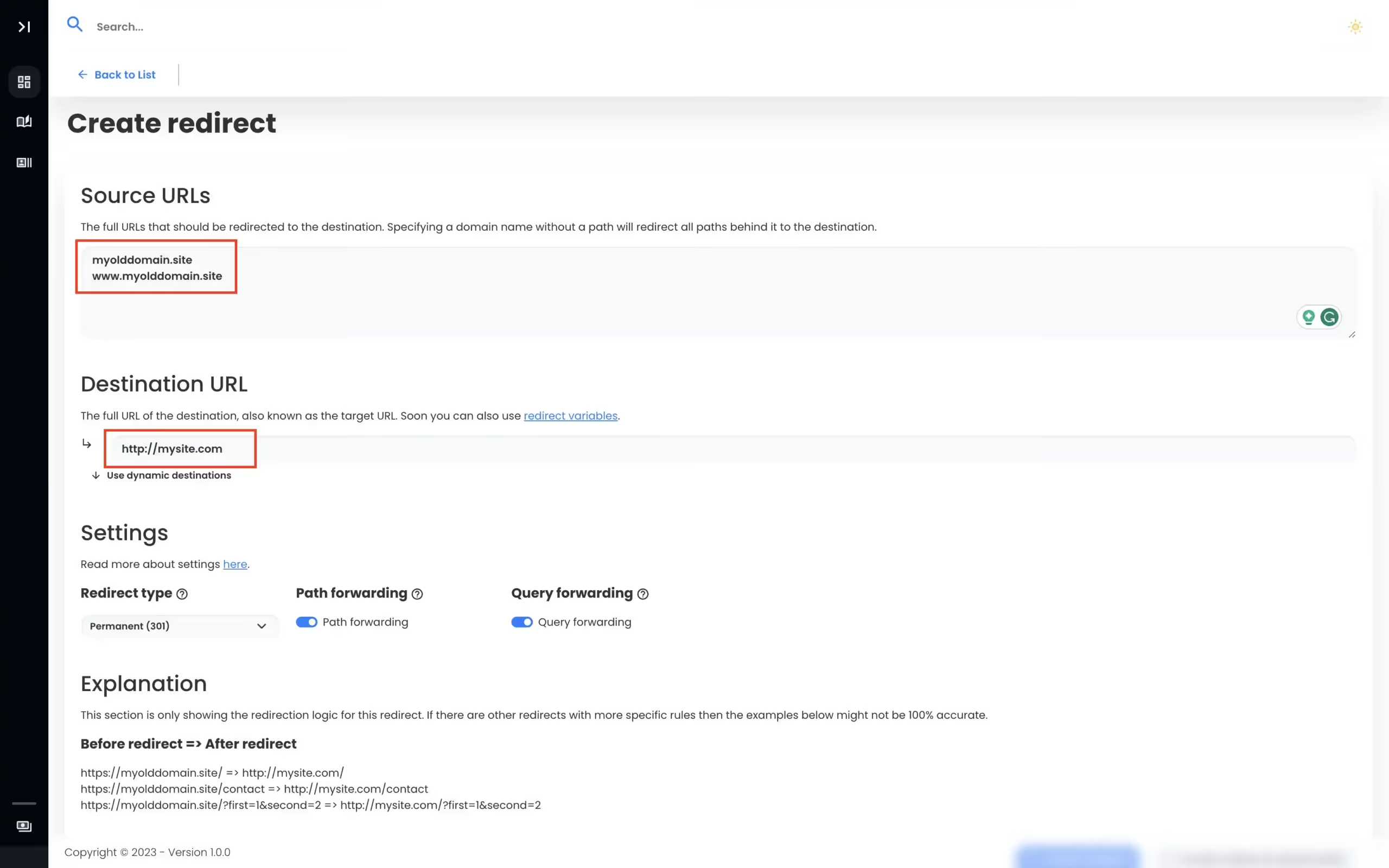
Point your domain's A record to our servers (gray cloud / DNS only in Cloudflare). Set your forwarding destination in Domain Forward's dashboard. Done. No proxy mode, no zone configuration, no understanding of Cloudflare's layered platform. Just DNS + destination. Domain Forward also gives you dedicated redirect analytics, a simpler management UI, and API access — all purpose-built for forwarding.
When to Use Cloudflare's Built-In Redirect Rules
If you already manage your sites on Cloudflare and you're comfortable with their dashboard, using Redirect Rules is free (10 rules per zone) and keeps everything in one platform. If your domains are already proxied through Cloudflare for CDN/security reasons, adding redirect rules is a natural extension. But if you're setting up a zone just to create a redirect, Domain Forward is simpler.
View Domain Forward PricingFrequently
asked questions
No. Unlike GoDaddy, Namecheap, and most other registrars, Cloudflare Registrar has no built-in "forward to URL" feature. To redirect a domain registered with Cloudflare, you need to add the domain as a Cloudflare site (zone), proxy the DNS, and create Redirect Rules — or use an external service like Domain Forward.
Option 1: Add the domain as a Cloudflare zone (even on the free plan), enable DNS proxying, and create a Single Redirect rule. Option 2: Point the domain's A record or CNAME to Domain Forward's servers and configure forwarding in our dashboard. Option 2 is simpler if you want dedicated redirect management and analytics.
Yes. Set your domain's A record in Cloudflare DNS to point to Domain Forward's IP addresses. Make sure the DNS record is set to "DNS only" (gray cloud, not proxied) so Cloudflare passes traffic directly to Domain Forward. Then configure your forwarding destination in Domain Forward.
Cloudflare Registrar is an at-cost registrar — they don't mark up domain registration fees and don't bundle extra services. Forwarding requires running redirect servers and provisioning SSL certificates, which are features of their CDN/proxy platform, not their registrar.
Simple Forwarding for Cloudflare Domains
No zone setup. No proxy mode. Just DNS and a destination. 5 domains free.