Domain Forward vs Cloudflare Redirects
Cloudflare offers powerful redirect capabilities — Single Redirects and Bulk Redirects — but they require your domain to be proxied through Cloudflare. Domain Forward works with any DNS provider and is purpose-built for domain forwarding.
Feature-by-Feature Comparison
Cloudflare is a full CDN/security platform with redirect features. Domain Forward is a dedicated forwarding service.
| Feature | Domain Forward | Cloudflare Redirects |
|---|---|---|
| Dedicated redirect management UI | ||
| Redirect analytics | Basic (via general analytics) | |
| REST API | ||
| Path forwarding | ||
| Automatic HTTPS | Yes (if proxied through CF) | |
| Wildcard matching | Ultimate plan ($99/mo) | All plans (Single Redirects) |
| Regex matching | Business+ only ($200/mo) | |
| Free plan: redirect rules | 5 hostnames | 10 Single Redirect rules |
| Free plan: bulk redirect URLs | N/A | 10,000 URLs across lists |
| Pro plan redirect rules | 30 hostnames ($15/mo) | 25 rules ($20/mo zone) |
| Requires DNS on Cloudflare | ||
| Requires proxied (orange cloud) DNS | ||
| Works with any DNS provider | ||
| Setup complexity | Add domain → set destination | Add site → proxy DNS → create rules |
| URL masking | Premium+ ($15/mo) | Via Workers (code required) |
| Team members | 2–unlimited | Via Cloudflare account roles |
Where Cloudflare Wins
If your domain is already on Cloudflare, their redirect features are essentially free — 10 Single Redirect rules and 10,000 Bulk Redirect URLs on the free plan. Wildcards work on all plans, regex on Business+. Cloudflare's edge network is massive (300+ cities), so redirects are extremely fast. Plus, you get DDoS protection, CDN, and other Cloudflare services alongside redirects. For domains already proxied through Cloudflare, adding redirects is a no-brainer.
Where Domain Forward Wins
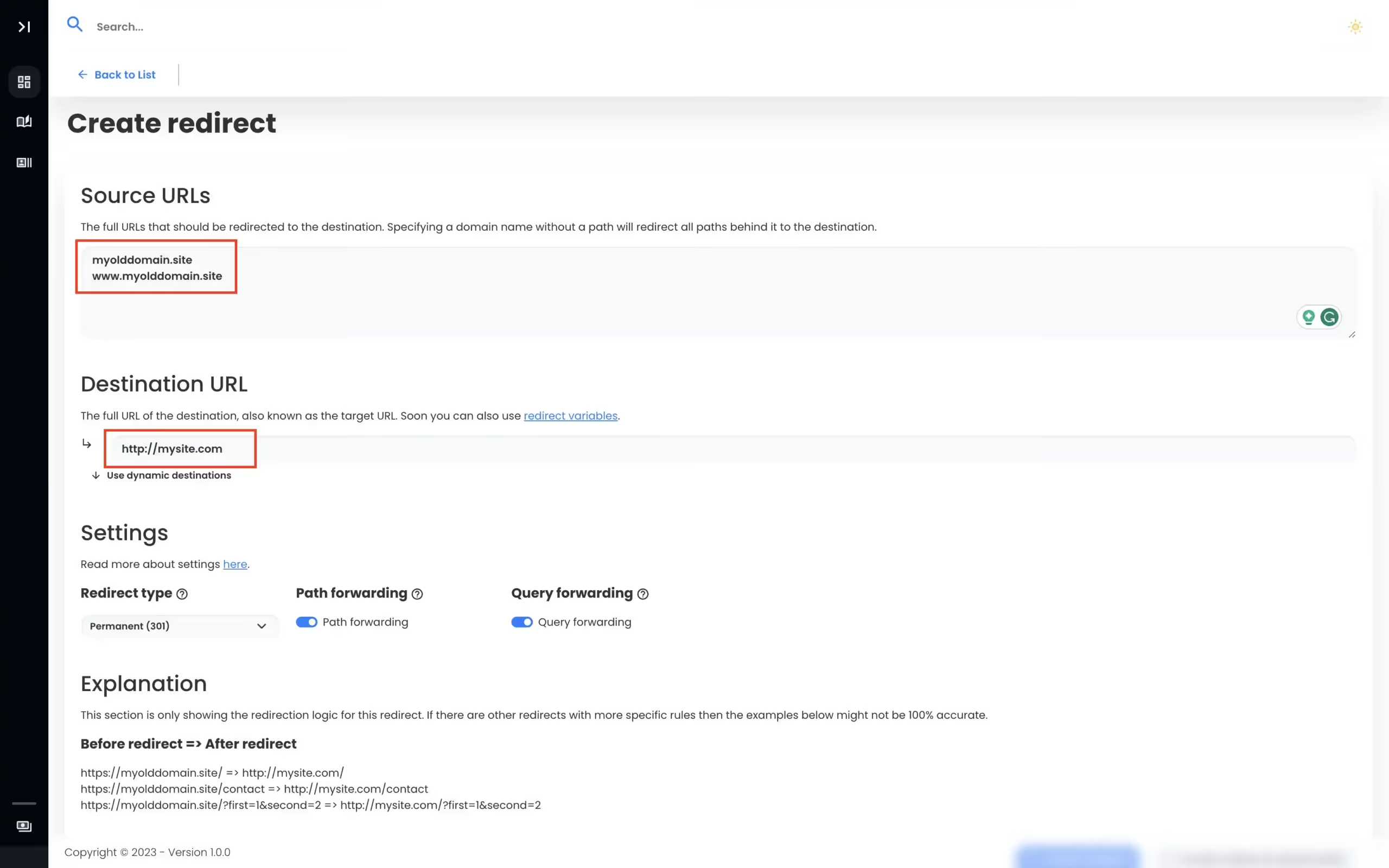
Domain Forward doesn't require you to move your DNS. Point any domain's A record or CNAME to our servers, regardless of where your DNS is hosted. The setup is dramatically simpler — no understanding of proxy mode, page rules vs. redirects vs. bulk redirects, or Cloudflare's dashboard hierarchy. You get a purpose-built redirect management interface with dedicated analytics per domain, rather than redirects buried within a larger platform. For teams managing forwarding across many domains on different DNS providers, Domain Forward is more practical.
When to Use Which
Use Cloudflare Redirects if your domain is already on Cloudflare and you need basic URL redirect rules — it's free and fast. Use Domain Forward if your DNS is hosted elsewhere, if you manage many forwarding-only domains across different providers, if you want a simpler dedicated interface for redirect management, or if you need features like URL masking that would require Cloudflare Workers code.
View Domain Forward PricingFrequently
asked questions
No. Cloudflare's redirect rules (both Single Redirects and Bulk Redirects) require your domain to be added to Cloudflare with proxied (orange cloud) DNS records. If your DNS is managed elsewhere, you can't use Cloudflare's redirect features.
Single Redirects are rule-based (like "if URL matches X, redirect to Y") with support for wildcards and (on Business plans) regex. You get 10 rules on the free plan. Bulk Redirects are URL-to-URL mappings in lists — up to 10,000 individual URLs on the free plan. Bulk Redirects don't support regex or wildcards.
Cloudflare offers 10 Single Redirect rules and up to 10,000 Bulk Redirect URLs on the free plan. However, you must proxy your domain through Cloudflare (move DNS to them). For basic domain forwarding needs, this may be enough. For managing many forwarded domains that aren't on Cloudflare, Domain Forward is more practical.
Use Domain Forward when: (1) your DNS isn't on Cloudflare and you don't want to move it, (2) you need dedicated redirect analytics and a management dashboard, (3) you want simpler setup without understanding Cloudflare's proxy/DNS model, or (4) you manage forwarding for multiple domains across different DNS providers.
Domain Forwarding Without DNS Lock-In
Works with any DNS provider. 5 domains free. No credit card required.