Domain Forward vs WordPress Redirect Plugins
WordPress plugins like Redirection, Yoast, and Rank Math handle URL-level redirects within a WordPress site. Domain Forward handles domain-level forwarding independently — no WordPress required.
Feature-by-Feature Comparison
Different tools for different jobs. WordPress plugins manage URLs within a site. Domain Forward manages domains.
| Feature | Domain Forward | WordPress Plugins |
|---|---|---|
| Redirect analytics | Redirection plugin (free, basic logs) | |
| REST API | Redirection plugin has REST API | |
| Automatic HTTPS | Depends on WordPress hosting | |
| Path forwarding | ||
| Regex matching | Redirection plugin (free) | |
| Requires WordPress site | ||
| Requires WP site running | Yes (WordPress must serve requests) | |
| Domain-level forwarding | Purpose-built | Possible but requires WP multisite or alias |
| Wildcard matching | Ultimate plan ($99/mo) | Via regex in Redirection plugin |
| 404 monitoring | Redirection plugin (free) | |
| Auto-redirect on slug change | N/A | Yoast, Rank Math (premium) |
| Server load impact | None (separate service) | Redirects processed by PHP/WordPress |
| Works if WordPress is down | Yes | No |
| Setup complexity | Add domain → set destination | Install plugin → add rules per URL |
| Cost | Free (5 hostnames) | Free (plugin) + WordPress hosting cost |
Where WordPress Plugins Win
If you run a WordPress site, redirect plugins are deeply integrated with your content workflow. The Redirection plugin offers regex matching, 404 monitoring, automatic logging, and import/export — all free. Yoast Premium and Rank Math Pro automatically create redirects when you change a page slug, preventing broken links without manual intervention. These plugins are the natural choice for managing URL changes within an existing WordPress site.
Where Domain Forward Wins
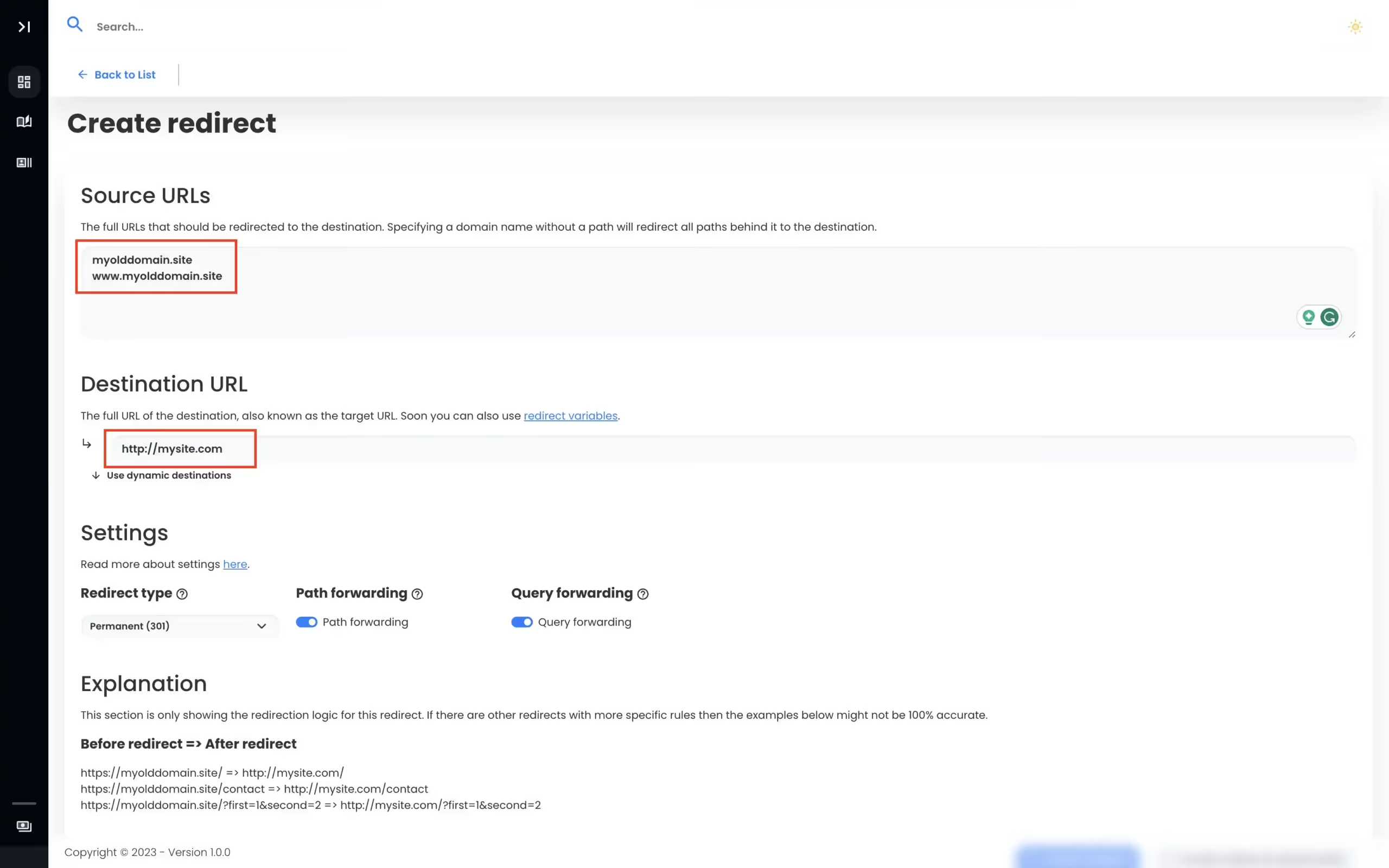
WordPress plugins require a running WordPress site. If WordPress is down, your redirects are down. If you want to redirect a domain that doesn't have a WordPress site (old brand, vanity URL, parked domain), you'd need to set up WordPress hosting just to serve redirects. Domain Forward works at the DNS level — no WordPress, no PHP, no hosting required. Redirects are also faster because they bypass the WordPress stack entirely.
Why Not Both?
They work well together. Use WordPress redirect plugins for page-level URL management within your site (slug changes, 404 cleanup, content restructuring). Use Domain Forward for domain-level forwarding — redirecting old domains, vanity URLs, and brand variations to your WordPress site. This separation means your WordPress plugins don't need to handle domain routing, and your domain forwarding doesn't depend on WordPress uptime.
View Domain Forward PricingFrequently
asked questions
The Redirection plugin (by John Godwin) is the most popular free option — regex support, redirect logging, 404 monitoring, and REST API. Yoast Premium and Rank Math Pro include redirect managers. For complex server-level redirects, many WordPress hosts support .htaccess rules directly.
Not easily. WordPress redirect plugins work at the URL level within a WordPress site. To redirect an entire domain (old-brand.com → new-brand.com), you'd need to add the old domain to your WordPress hosting, configure WordPress to respond to it (multisite or domain alias), and then set up redirect rules. Domain Forward handles this at the DNS level, which is simpler.
WordPress redirects are processed by PHP — the full WordPress stack boots up to serve a redirect response. Server-level redirects (via .htaccess or Nginx) and dedicated services like Domain Forward handle redirects before PHP/WordPress is involved, which is faster. The difference is typically 50-200ms per request.
Use a WordPress plugin for page-to-page redirects within your WordPress site (old slugs, changed URLs, 404 cleanup). Use Domain Forward for domain-level forwarding — redirecting entire domains that don't need WordPress running.
Domain Forwarding Without WordPress
No plugins. No PHP. 5 domains free. No credit card required.